•
Multiple apps in one: Screen Grab tool and Clipboard processor, Vector editor and Animation editor
•
Grab any part of your screen with Hot-keys
•
Combine multiple captured images
•
Add annotations, mouse cursors, arrows, text, remove and replace parts
•
Add and edit vector items
•
Trace graphics into editable vectors
•
Combine vectors in many ways, add styles, shadows, bevels
•
Instantly paste into e-mail, office documents, social media pages, drag and drop to graphic
application or export and upload.
•
Paste with transparency
•
Paste into Adobe Illustrator as vectors
•
Create PDF file
UltraSNAP PRO 5
1. Screen Capture Processor
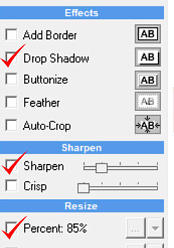
Press one of the user defined Hot-Keys, grab a screen from an app, web page or document, then change its sharpness, size and colors and
paste the result in your editing software, office, email…
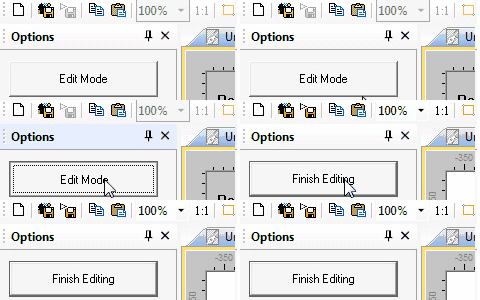
By switching to Editing Mode you have a full vector editor
at your disposal.
UltraSNAP can stay minimized in Windows Tray, just a keyboard shortcut away…
You can customize the hot-keys for various functions such as grabbing a screen region or a window under cursor or repeating last capture.
PDF file export
New in Version 4, you can quickly create
multi-page PDF files from screen grabs,
documents or web pages, add additional text,
highlight or hide some parts etc…
More details here.





for WINDOWS
Enhanced Clipboard Formats
UltraSNAP has comprehensive multi-format Copy
operations that saves you from creating
intermediate files.
Enhanced Copy/Paste includes transparent PNG
or 32-bit DIBV5 formats and Illustrator vector
format
Adobe Illustrator and SVG export
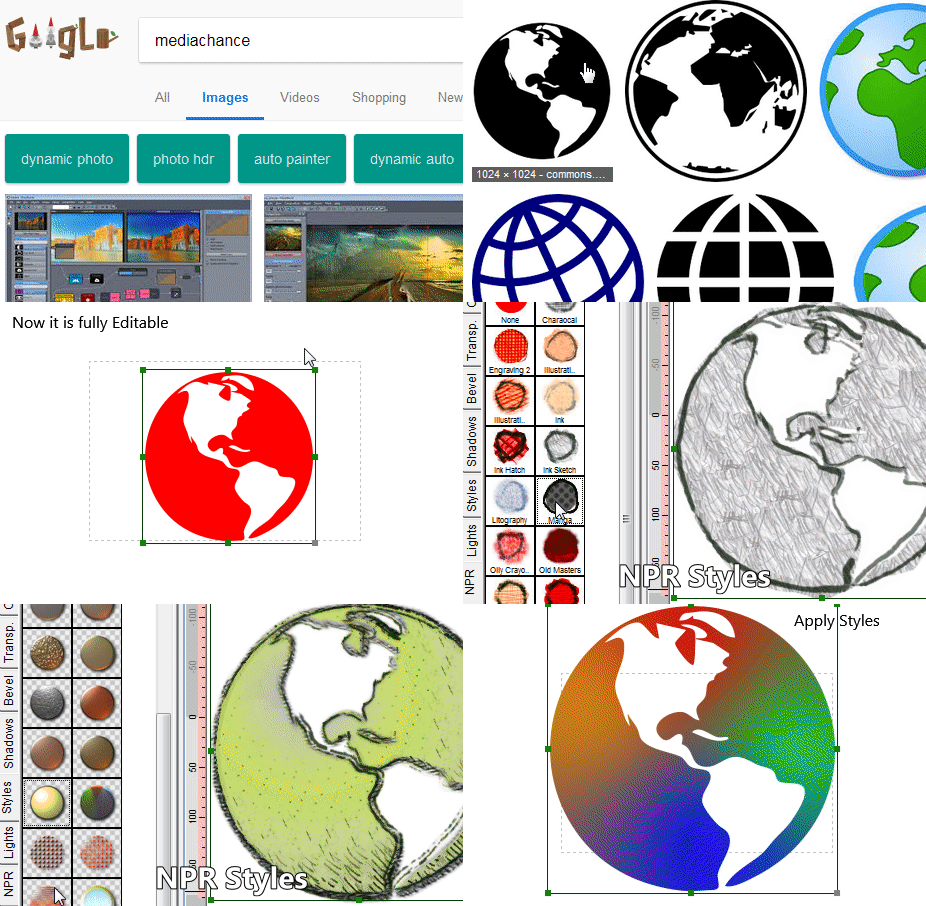
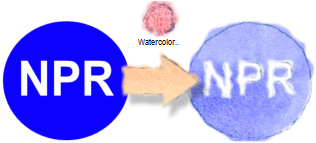
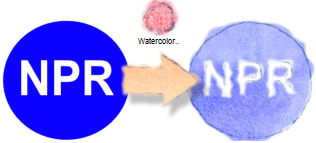
You can quickly spice up your vector drawings and text with our unique styles, including the Paint styles. They will emulate a hand-drawn or brush painted
look, but remain fully editable as any other vectors.
It is also very simple to use, just click the Global Paint Style preset and the whole drawing will change accordingly.
Support for PNG and DIBV5 clipboard formats in
Editing Mode.
It can be used to send and receive images with
transparent background (alpha channel) through
windows clipboard.

PNG

DIBV5

You can export the created vector shapes as
Illustrator *.ai files or *.svg and use them in many
other vector applications including Illustrator,
Fireworks or Xara.
You can also Copy selected object to clipboard in
Illustrator format and then paste them directly in
Adobe Illustrator as vector objects.
Do you like some interesting shape or graphics on the web but it isn’t in an editable format?
You don’t have to recreate it from scratch. Just grab it from screen or copy it, then use the build-in Trace tools to instantly turn it into editable object.
Now you can apply styles, edit the shape and export it in the right size.
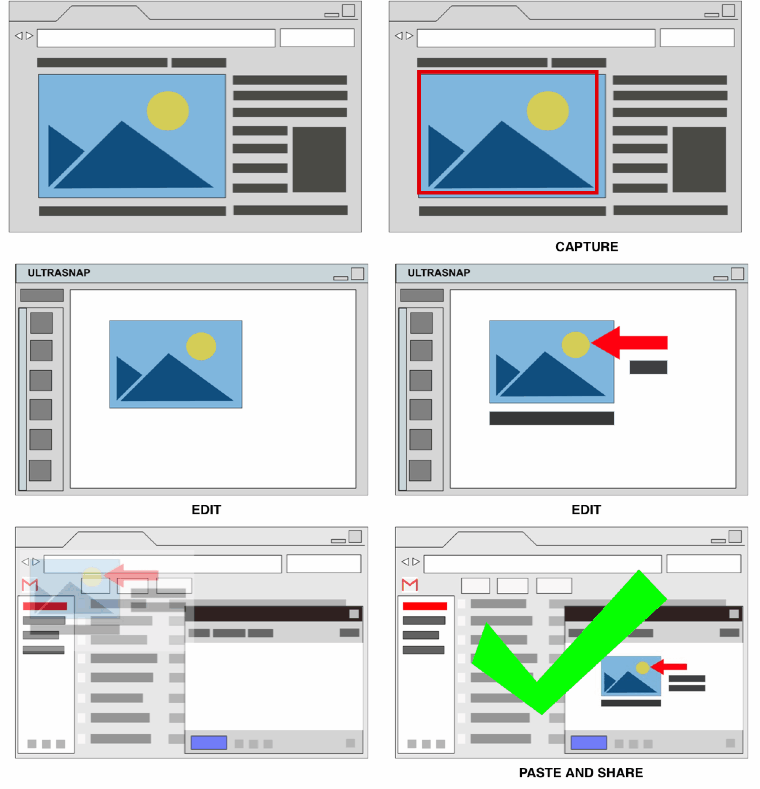
GRAB SCREEN
Grab screen from web page, document
or software
ADJUST ATTRIBUTES
Resize, add sharpness, apply
quick effects
PASTE
Now Paste it or Drag & Drop in the
destination application or Export as a file
2. Vector Editor
Turn your vector graphics into a hand drawn
sketch or paint with Paint Styles
US $55

Ver. 5.0.1
Windows 7,8,10 (40MB)


IMAGE AND VECTOR EDITOR + CLIPBOARD PROCESSOR + SCREEN CAPTURE
Always Ready at your command
Many Applications in one
You can create your own graphics, add more screen captures, text
annotations, cursors, arrows, lines and other vector objects. Apply
effects, drop shadows, blur…
The settings can be applied
automatically to all subsequent
screen captures
Paint Styles
Trace bitmap graphics into Vectors


Paint Styles
PNG and 32-bit DIBV5 clipboard formats

Used by:
All-in-one image and vector editor, clipboard processor and screen capture
5.0.1
Many unique tools
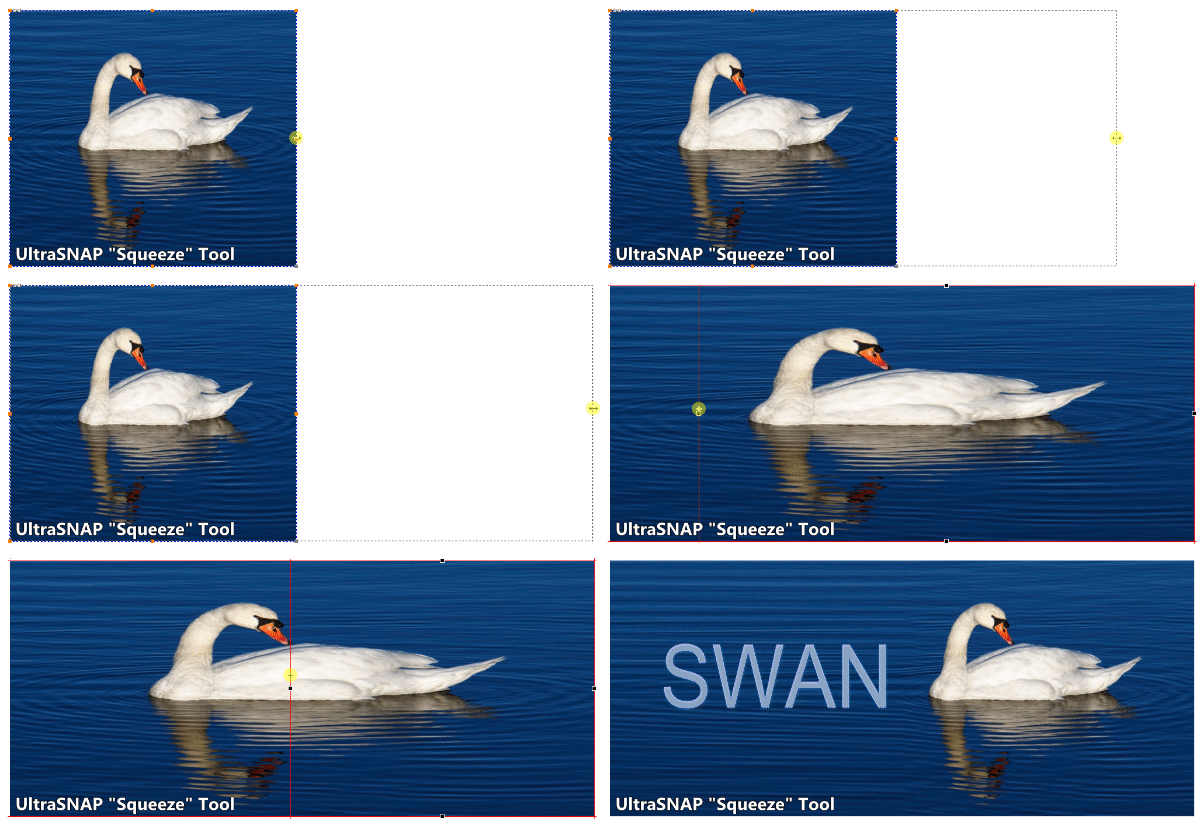
There are many tools you will not find anywhere else, such as our unique Squeeze Tool that can be used to quickly add working space to images or to change
aspect ratio of photos while keeping important subjects intact. Great for banners or headers !
Volume Discounts
available at the
shopping cart
Site License: Here
…and REPEAT




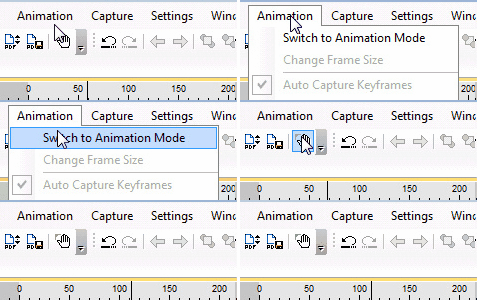
In Animation mode you can create quick GIF animations for
web or social media using keyframes with tween motion.
3. Animation Editor

Create visual explainers, capture part of your screen as video and add it
to the animation, add moving arrows, cursors…. then export as animated
GIF that can be used anywhere including email, web and social media.


Create quick GIF animations for explainers,
web or social media
GIF Animations




Features at a glance
UltraSnap PRO is all-around graphics editor combining multiple tasks into one single application.
It is an indispensable daily tool used in many homes and offices around the world for processing images and creating graphics for manuals, support, web, email,
social media etc…




About MediaChance
Products
Links

Sign up to receive Mediachance newsletter
featuring new announcements and special offers.