home | products |web boards| faq | galleries | contact | about  
download buy now


Dynamic HDR
Overview
Examples
Manual
Anti-Ghost
AEB cam
FakeHDR
Match Color
Buy Now
Try It


DVD-lab PRO
Start here

DVD-lab
Start here

Video-Editing
Edit Studio

Real-DRAW
Start here

Photo-Brush
Start here

PureImage NR
Start here

Dynamic HDR
Start here

PhotoShop
plug-ins
Start here

DCE
Start here

Multimedia
Builder
Start here

DVD Menu
Start here

PhotoSEAM
Start here

CompactDraw
Start here

UltraSnap
Start Here

Camera Tools
Start Here

Free Tools
Start Here

Articles
Archive


Next generation of High Dynamic Range Photo software with Pin Warping, Anti-Ghosting and Color Matching.

Putting fun into your photo-hobby


My photo is not what I saw
Many times you see a beautiful scene and of course you snap a picture! The result is often far from being the magical scene you carry in your head.

Our eyes are very adaptive and they are also more sensitive to intensity than color. It is estimated that our eye can see over a dynamic range of nearly 24 f-stops while a digital camera can capture a dynamic range around 6 to 9 f-stops.

For this scene we could set our digital camera to correctly capture
the sky or the foreground, but not both at same time

The High Dynamic Range Imaging is a set of techniques that has been developed nearly 20 years ago to overcome the limitations of electronic devices by combining multiple exposures into one great looking image.


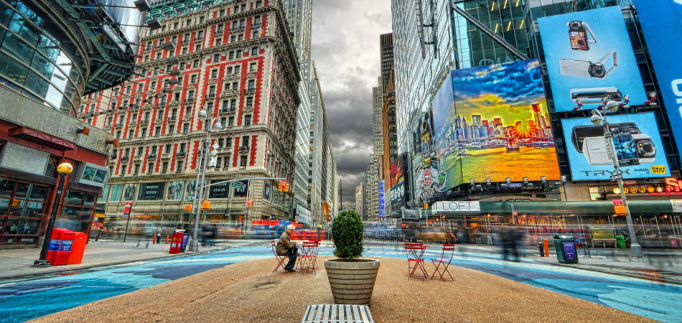
Using HDR technique we can combine the different exposures to create a single image
that shows details in both sky and the land.

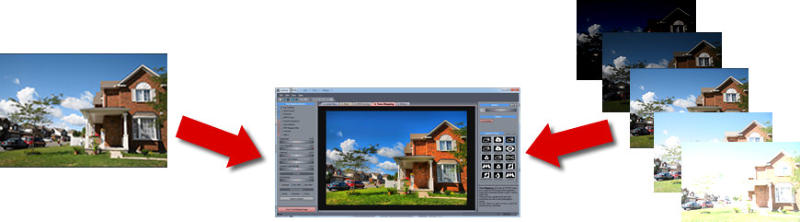
A HDR photography can be created by taking few photos with different exposure, then combining them in the software into a high dynamic file. The last thing is to tone-map the HDR image so we can see it in our screen, print it, post it on the web and enjoy.

We created our software to be very enjoyable, fast and straight forward. No fiddling with incomprehensible parameters. And as it is common for Mediachance products we added many cool new inventions that you may not have seen yet in any other package.

  • Easy to understand software with super fast preview
  • Powerful Auto-Aligning, Manual or Auto-Assist Aligning of images with an innovative Pin Warping that can correct all types of misalignment, including camera roll, pitch or yaw
  • Anti-ghosting mask that can completely eliminate ghosting of moving objects
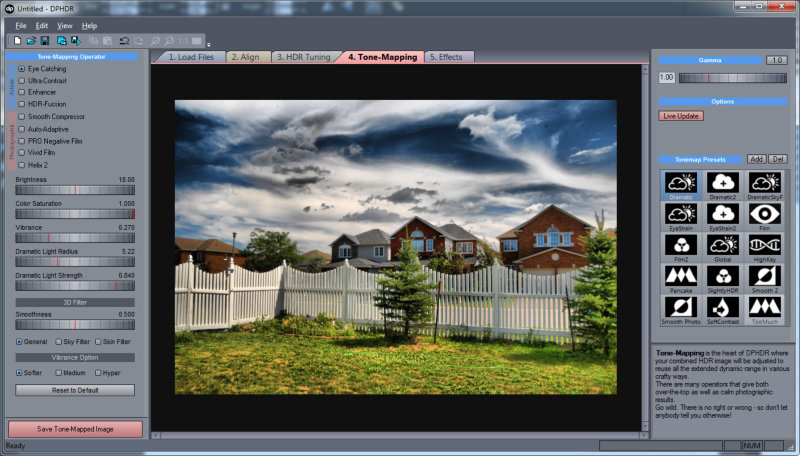
  • Various tone mapping procedures that can create a whole range of images - from smooth photographic tone mapping to very dramatic images
  • Load and save HDR files
  • Works with most RAW camera formats
  • Support for 360 Panoramic images
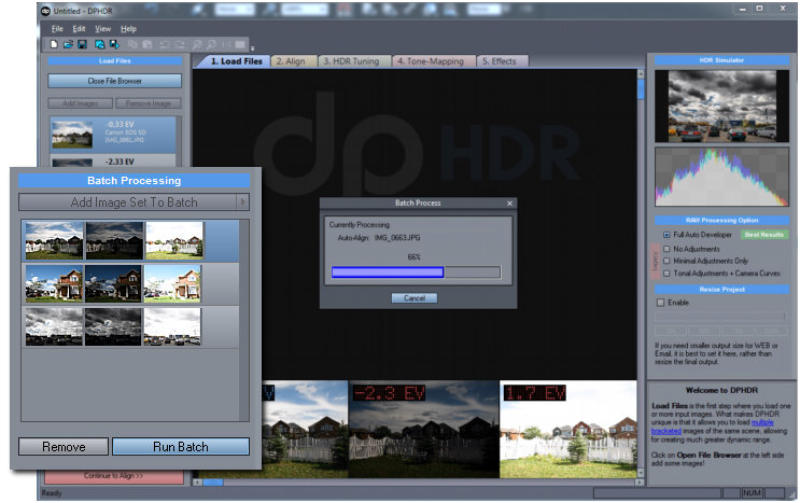
  • Batch Processing to add images to queue and then process them all at once
  • Live HDR preview during various steps, you can see tonemapped image preview even before you create HDR!


Live HDR preview instantly shows the tone-mapped result
even before you create HDR file.

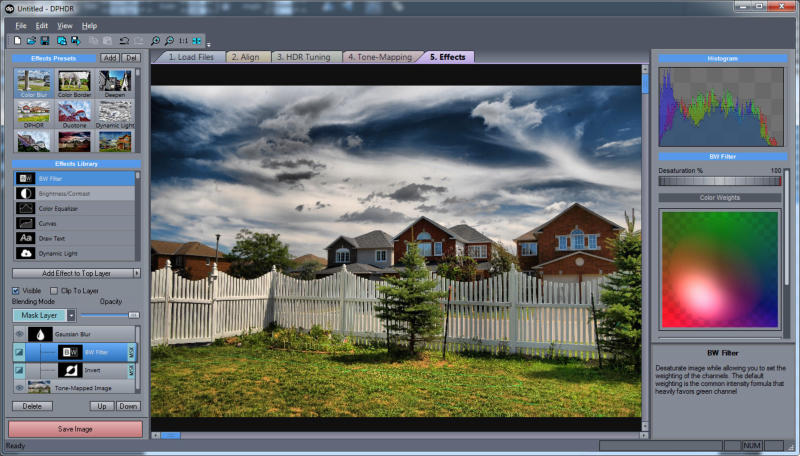
  • Dynamic Photo HDR has already few very interesting build-in filters for Orton Effect or to create eye-catching B/W photos.
  • You can use new Pseudo-HDR process on a single 8-bit source


New Pseudo HDR process can convincingly
create HDR tone mapping on a single 8-bit source.

  • Our new real-time Light Tuner will let you change the Tone-Mapped effect and see the feedback result immediately as you move the Light Orb, without any calculation

  • You can create fine-tuned Black and White shots with the B/W channel Mixer
  • More cool effects such as Vignette or Mysterious light.
  • Color Correction using Kelvin parameters with preview table.
  • Match Color will allow you to match your new tonemapped image to any other photo or painting.


Match Color can match your image to another image colors.
Here shown also with Mysterious Light Color Filter.

  • Pin Warping
    Aligning image taken by hand is not any big problem in our software. The unique Pin Warping method can align even most stubborn images where camera shifted, changed roll, pitch or yaw.

  • Anti-Ghosting Mask
    If an object moved while you were taking different shots, this would normally create a "ghost" on the final image.
    We added a powerful yet very simple to use anti-ghosting mask feature. Just paint over all instances of the moved objects (you don't even have to be very precise!) and it will without trace completely eliminate the ghosts from the final image. In Full version you can use Live HDR function. Just press Quick Preview button that will almost instantly show you the result HDR image with the anti-ghosting mask applied.

Once a moved objects are marked, the Anti-Ghosting process will automatically
elliminate the ghosts and keep only one instance of the object.

Reviews:

  • Dynamic Photo HDR (DPHDR) by Mediachance is the sort of Windows-only program that will make Intel-Mac owners want to get BootCamp and run Vista right now. Not only is DPHDR one of the more affordable free-standing HDR-gen and Tonemapping titles, it is also powerful enough to warrant serious consideration for the HDRI photographer... Jack Howard - Popphoto.com
  • It's been long time since I have been so impressed by any software. It's easy to use with surprising results... Ondrej Neff - Digineff.cz
  • Dynamic Photo HDR is the new kid on the block, joining the ranks of HDR utilities. It comes in a sexy outfit, that offers just the right blend of usability and eye-candy interface. And it's prized very competitive at $55 bucks.
    www.HDRlabs.com


If you see anything interesting on this site which you think would be worth for your friends to know, simply click this button:

No SPAM! Neither you, nor your friend will become part of ANY mailing list.


DPHDR looks great and works even better
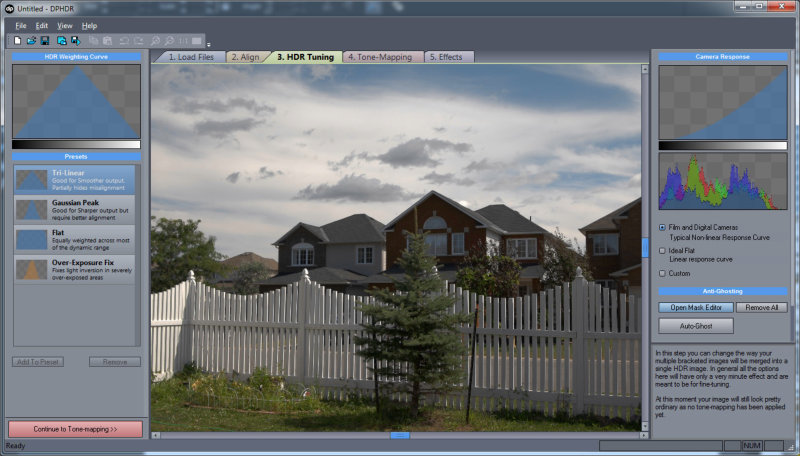
Main Tone-Mapping window Light-Tuner Batch Processing Kelvin Color-Correction
B/W Channel mixer Effect Create new HDR Align

New in version 3.3 Introduce yourself to the silky-smooth sky!
A common problem with over-processed HDR images is adding halo and noise blocks in large smooth areas such as clean sky.
Version 3.3 of DPHDR adds a brand new 3D Sky filter that automatically adjust the tone-mapping to preserve the smoothness of the sky (Even if you really step on the "HDR effect" pedal as we did with the image below)
And we added one for Skin too, so now you can tone-map portraits as well.
New in version 3 Interactive Light-Tuner
Now you can get immediate feedback of the Tone-Mapping parameters using our new Light Tuner. Simply move the Light Orb around and watch the preview to change immediately without any re-calculation!

Watch short video about the more advanced Dynamic Photo HDR features which includes Light Tuner, B/W Mixer, Color-Correction, Match Color, Batch Processing and more:

  • Now faster ordering through SWREG
  • New Version 3.3 ( 09/MAY/2008) Sky and Skin 3D filters for smooth clean sky/skin. Enhanced Light Mask dilaog
  • Version 3.2 ( 24/APR/2008) Ability to go Back to Align, Batch for 16-bit tiffs, other minor changes. Version 3.1: Added Eye-droper tool for Custom WB,
    Version 3.0

  • Batch Processing
  • Large preview Fine mode
  • Interactive Light-Tuner, B/W Channel Mixer, Orton parameters, Color Correction
  • Non-Photorealistic rendering with Manga, Comic, Watercolor
  • Support for 360 Panoramic images
  • Improved Alghorithm now completely eliminates the black bars on the right and bottom edges
  • Added Color Matching function and more filters such as Vignette and Mysterious Light.
Check out the new ReDynaMix Adobe Photoshop plugin that uses the DPHDR Pseudo HDR algorithm (FITYMI) to create HDR-like images from a single JPG file inside Adobe Photoshop.

See a tutorial video how easy it is to create amazing pictures step by step:

 DPHDR has the largest feature set form any similar software and it cost less

Features
Dynamic Photo HDR
Create HDR from multiple files
Pseud-HDR from a single RAW or JPG file
Full RAW support
Load/Save Radiance HDR files
Aligning: Manual/Auto
Pin Warping of image
Anti-Ghosting mask
Custom Weight and Camera response functions
Multiple Tone-Map operators
Very Fast Preview
Color Correction
Batch Processing
Light-Tuner
Effects
NPR Rendering
B/W Channel Mixer
Output 16-bit Tiff
Output JPG, PNG, BMP, PSD
OS Windows NT/2000/XP/Vista
Regular Price $55

Examples and Gallery
Check out the example pages, we will be adding more images soon!

Tutorial and Tips

For:

History

  • Version 3 (16/APR/2008): Batch Processing, Light-Tuner, B/W Mixer, Fine preview, Noise Reduction.
  • Version 2.3 (16/JAN/2008): Added Hyperbolic option for Vivid Colors, Memory dots and Profile remeber LM settings, Draggable Sample window remembers Color Match.

  • Dynamic-PHOTO HDR Trial (9 MB)
    This is a Trial version.
    Saved files with trial version will have a text in the bottom of image.

The full version has no limitations

Enjoy this software for incredibly low price of $55 USD
After some people had problem with spambots eating Regsoft.com registrations, we added SWREG order that should work faster:

You can now use new, faster ordering from SWREG

Register Dynamic Photo HDR using SWREG
$55
Register Dynamic Photo HDR using REGSOFT
$55
Options

Bundle:

Dynamic Photo HDR + RedynaMix PhotoShop plugin (save 50%)
+
$63

How to Upgrade
Check your previous registration e-mail, if for any reason it returns the old 2.x version, send e-mail to CodeBot and a new link will be issued.

Additions in latest versions:


© www.MediaChance.com 2000