•
Project Oriented
•
Style and Thematic Vocabulary Assistants
•
Open Dictionaries
•
Snapshots and auto-versioning
•
Smart Tags
•
User Dictionaries
•
Doesn’t need Internet, all necessary parts are off-
line
•
Uses txt files, not proprietary format
At a glance
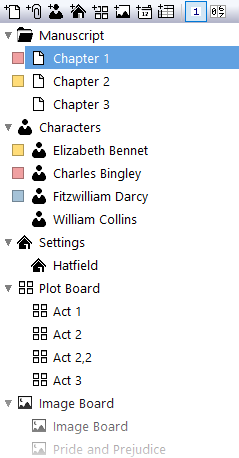
Project Organization
NovelForge is a project-based application
designed around the idea of working with a
large number of documents and keeping
them organized in one place.
All the documents in a project are physically
stored in the project folder on your
computer—nothing is left outside. There are
no scattered files across your drives. If you
need to move, copy, or back up the project,
you’ll know exactly where ALL the files are.
Inside the project, you can organize your
files however you prefer. Sort them neatly,
or embrace your own controlled chaos. It’s
entirely up to you.
Snapshots and Auto-Versioning
Let’s face it, creating backups only works if it’s super easy.
If it takes more than one click, you probably won’t do it
when Lady Muse is knocking on your laptop screen.
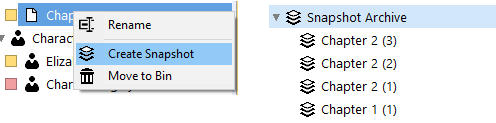
In your project, there’s a Snapshot Archive folder. Simply
drag or send any of your files there, and a new physical
copy will be created and automatically versioned. That’s it.
Open Dictionaries
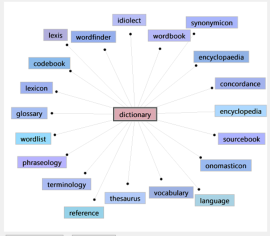
Does the dictionary or thesaurus give you results you don’t like?
Change it. All the dictionaries in NovelForge are open for editing, and the
application includes both an editor and a merge function.
Our dictionaries are powered by our in-house developed ultra-search
algorithm, ensuring that results are instant, no matter the size of the
dictionary
Smart Tags
Think of a tag as a keyword you can attach to your writing. It
could be a list of characters in a scene, a location, or even
your own personal note. These tags can link directly to actual
documents. For example, a tag with a character name would
link to the document that describes that character.
As your project grows, linked tags became a huge time saver.
The Tags are smart because they can do other tricks as well,
not just link to other documents.
They could type words or sentences in your text, they could
link to the outside world (opening some other application,
opening browser, and search for words on the web - for
example rhymes...)
But they can also open your custom dictionary in a word
cloud.
If you need a dictionary for slang or language you just
invented you can create a mini dictionary that can be recalled
from within the document tags.
When you select a word in your text and click the Smart Tag,
the mini dictionary will open with the suggestions.
Think of other uses, names, family trees, often used
descriptions, words you keep forgetting...

User Dictionaries and Word Clouds
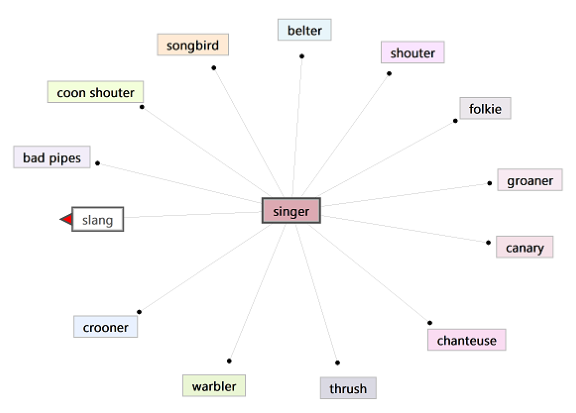

Smart tag can pickup your selected word, open your mini dictionary
and then replace it with your new pick.
Editing is an essential part of writing, and every writer approaches it differently. Novel Forge is built around the
philosophy of “Do your thing”, giving you flexible tools that adapt to your personal editing workflow.
Novel Forge provides the tools to refine your manuscript in the way that works best for you from quick inline changes, to
distraction-free revisions, to a full redline and merge editing pass.


























MARKDOWN EDITING
Markdown has become a widely adopted standard for
writing and publishing.
Originally created as a simple way to format plain text, it
quickly gained popularity among bloggers, and authors
because it is easy to read, easy to write, and works
across many platforms.
Today, Markdown powers documentation systems, note-
taking apps, publishing tools, and writing environments.
With simple symbols for headings, lists, and emphasis,
Markdown lets you structure your text quickly without
interrupting your creative flow.
The clean, lightweight format also makes documents easy
to convert to different formats like MS Word, PDF or
eBooks.
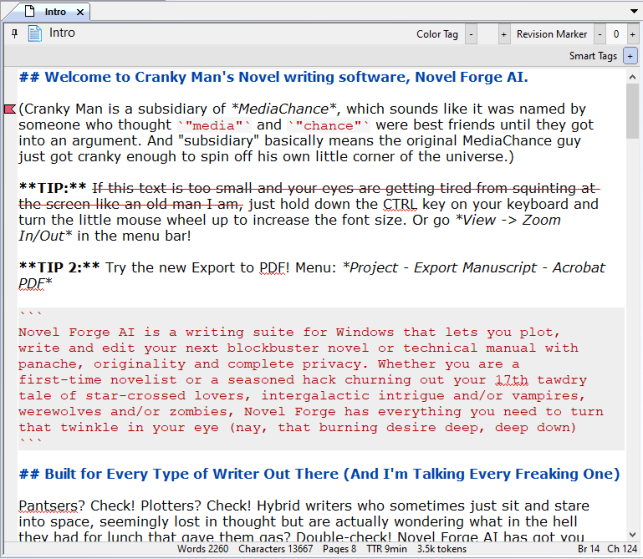
The Markdown editor in Novel Forge also supports quick
redlining, making it easy to highlight changes while
editing your manuscript in place.
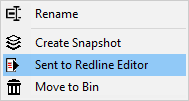
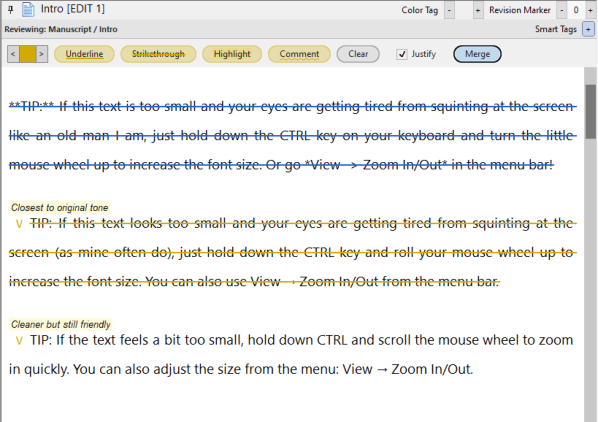
While writing and editing directly in manuscript keeps the process fast, serious revisions can quickly become
messy and hard to track. Simply choose “Send to Redline Editor” to create a separate editable copy of your text
for detailed review.
In this special editing mode you can highlight passages, mark
deletions with strikethrough, and add comments in different
colors to organize revisions and feedback.
REDLINE EDITING
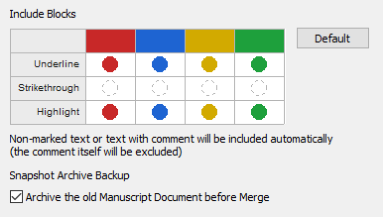
Once the review is complete, the changes can be merged back
into the manuscript based on rules you choose: for example
automatically ignoring paragraphs marked with a certain color.
•
Review, revise, and collaborate without risking changes to the original draft
•
Work on a separate editing copy, keeping your main manuscript clean and focused as the final draft
•
Highlight edits, mark deletions, and add comments to organize revisions clearly
•
Merge changes back selectively, including or ignoring marked deletions as needed
•
Keep all your redline edits as an archive, creating a clear history of revisions within your project
Benefits of a Redline Editing Pass

Redline edit stays saved in your project, building a clear archive of revisions you can revisit anytime.